# Exercise 1-2: Creating `TiDB Serverless` Cluster
## Overview
+ In this exercise, you create a `TiDB Serverless` cluster.
## Notes
+ The cloud provider of `TiDB Serverless` is AWS
+ The `TiDB Serverless` clusters cannot modify `Cloud Provider`, `Node Size`, `Storage Size` and `Node Quantity`.
## Duration
+ This exercise should take you approximately 5 minutes to complete.
## Tasks
1. On the `Clusters` page, click `Create Cluster`.
2. On the `Create Cluster` page, select `TiDB Serverless` and set the `Cluster Name`, choose a `Region` and then click `Create`.
3. Wait for your TiDB Cloud cluster to be created. (approximately 30 seconds)
## Solution Steps
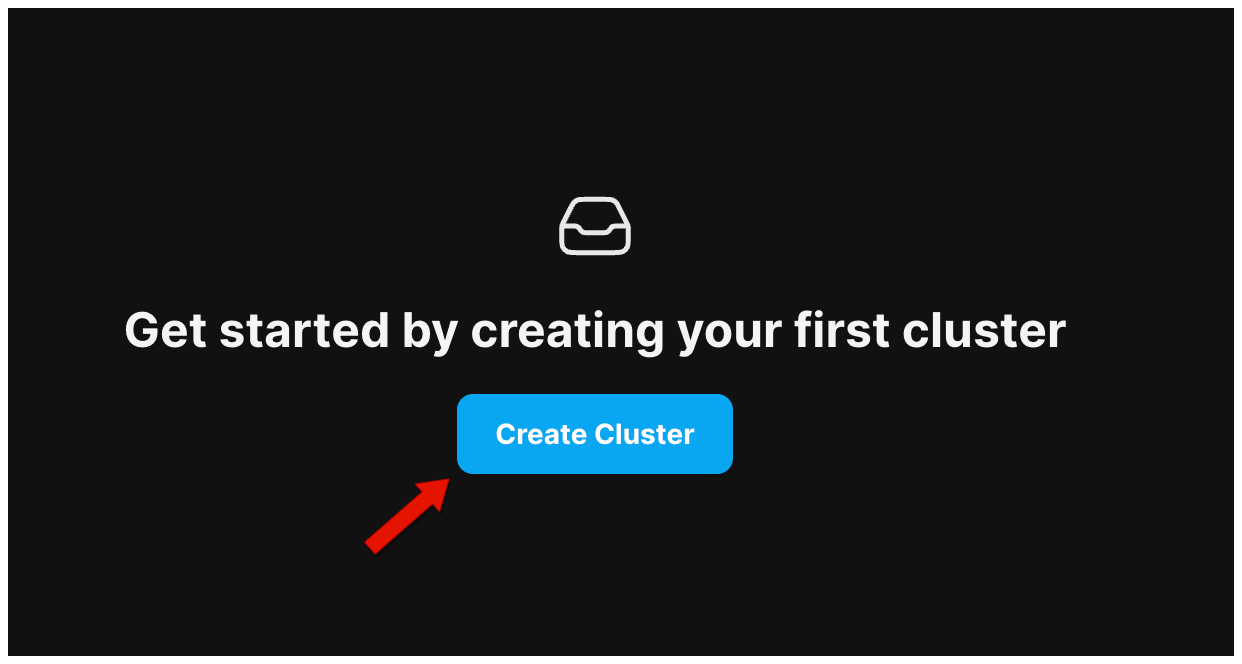
1. On the `Clusters` page, click `Create Cluster`.
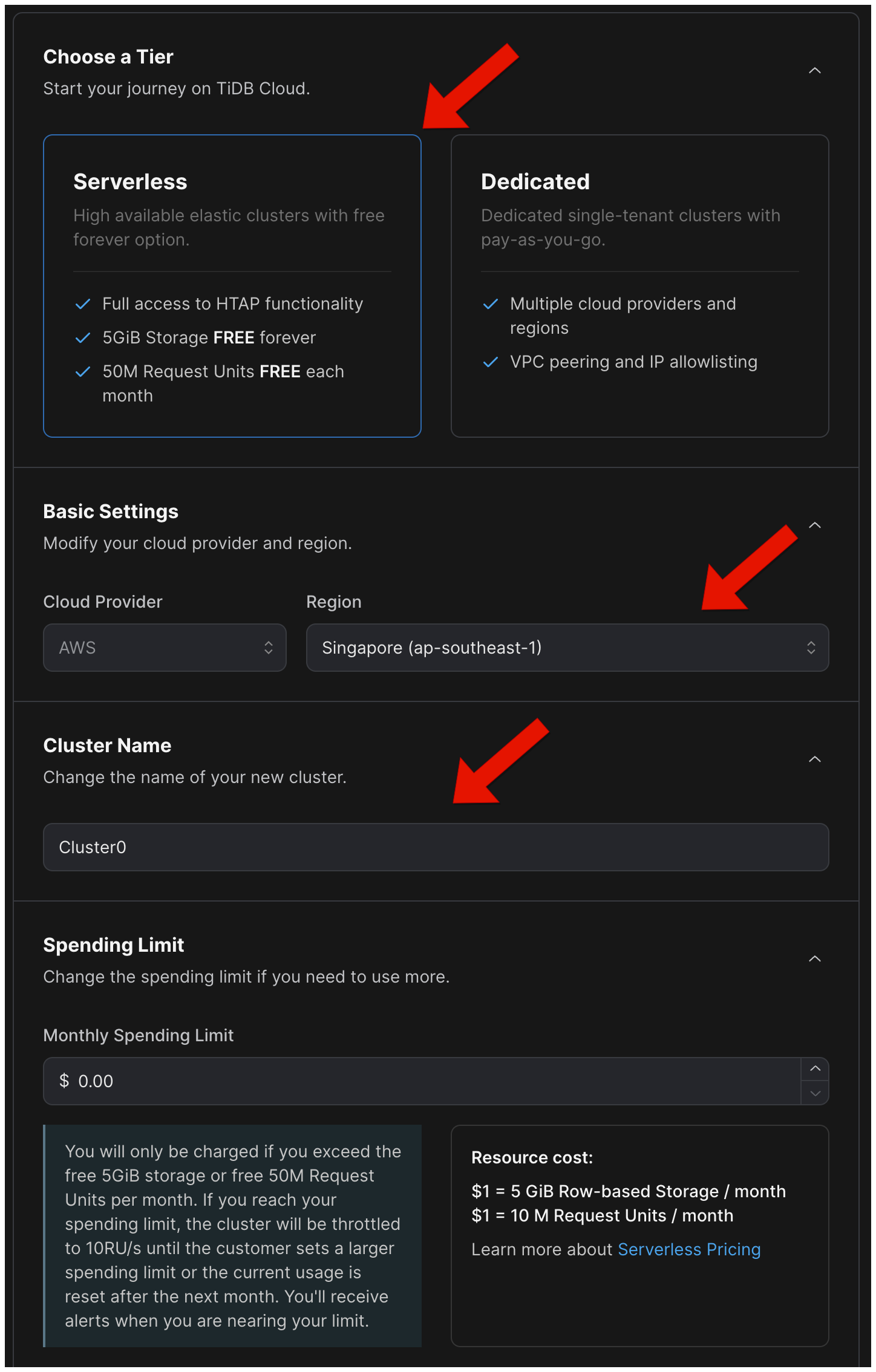
 2. On the `Create Cluster` page, select `TiDB Serverless` and set the `Cluster Name`, choose a `Region`.
Note: Change the spend limit if you plan to use more storage and compute resources than the free quota. If you have not added a payment method, you need to add a credit card after editing the limit.
2. On the `Create Cluster` page, select `TiDB Serverless` and set the `Cluster Name`, choose a `Region`.
Note: Change the spend limit if you plan to use more storage and compute resources than the free quota. If you have not added a payment method, you need to add a credit card after editing the limit.
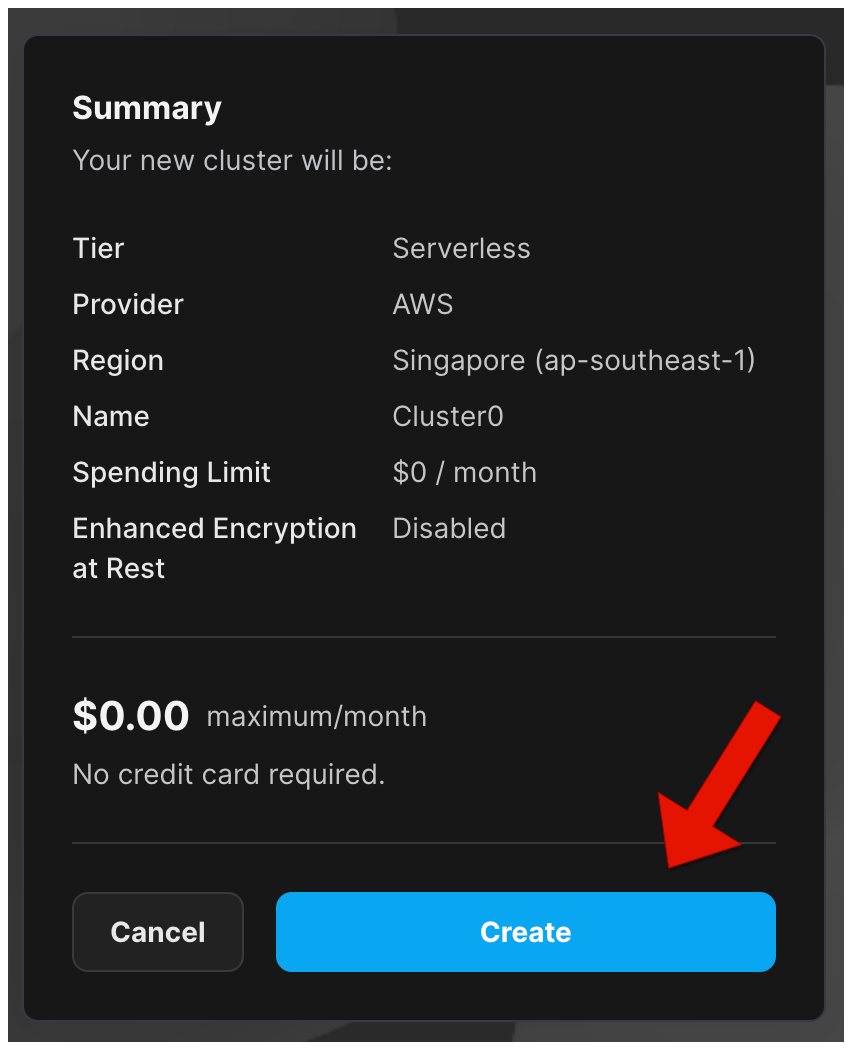
 3. Click `Create` to start creating your `TiDB Serverless` Cluster and wait for your TiDB Cloud cluster to be created. (approximately 30 seconds)