# Exercise 3-2: Managing User Profile
## Overview
+ In this exercise, you change the user profile of TiDB Cloud.
## Duration
+ This exercise should take you approximately 5 minutes to complete.
## Tasks
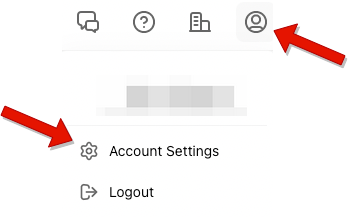
1. Click `Account` in the upper-right corner, and then click `Account Settings`.
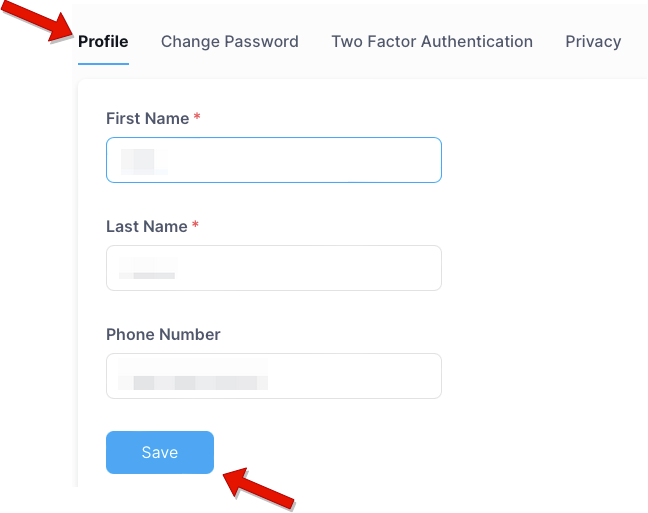
2. Update the profile information, and then click `Save`.
## Solution Steps
1. Click `Account` in the upper-right corner, and then click `Account Settings`.
 2. Select the `Profile` tab, and then update the profile information. Click `Save` to save your modifications.