# 练习 6-1: 横向扩缩容 TiDB Cloud 集群
## 概述
+ 在本练习中,您将在 TiDB Cloud 上的 TiDB 集群中进行横向扩缩容。
## 注意事项:
+ 此任务仅适用于 `Dedicated Tier` 集群。
## 持续时间
+ 完成此练习大约需要 15 分钟。
## 任务
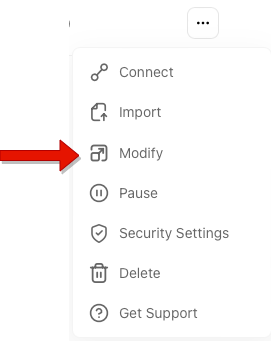
1. 单击右上角的下拉菜单,然后选择 `Modify`。
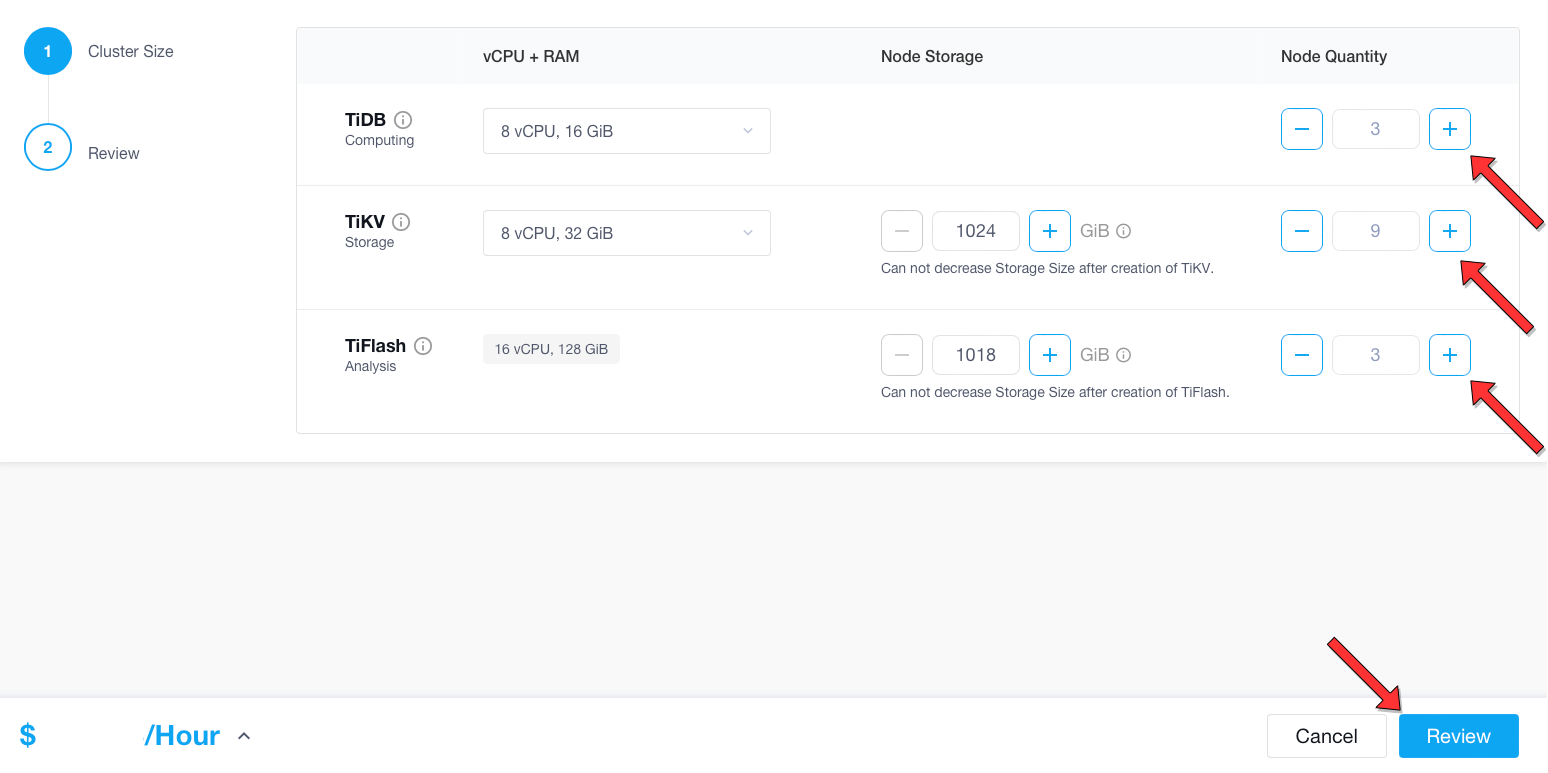
2. 在 `Modify Cluster` 窗口中,在 TiDB 集群中横向扩容或缩容。
## 解决方案步骤
(a) 扩容 TiDB Cloud 集群
1. 单击右上角的下拉菜单,然后选择 `Modify`。
 2. 在 `Modify Cluster` 窗口中,你可以增加 TiDB、TiKV 和 TiFlash 的节点数,然后点击 `Review`。
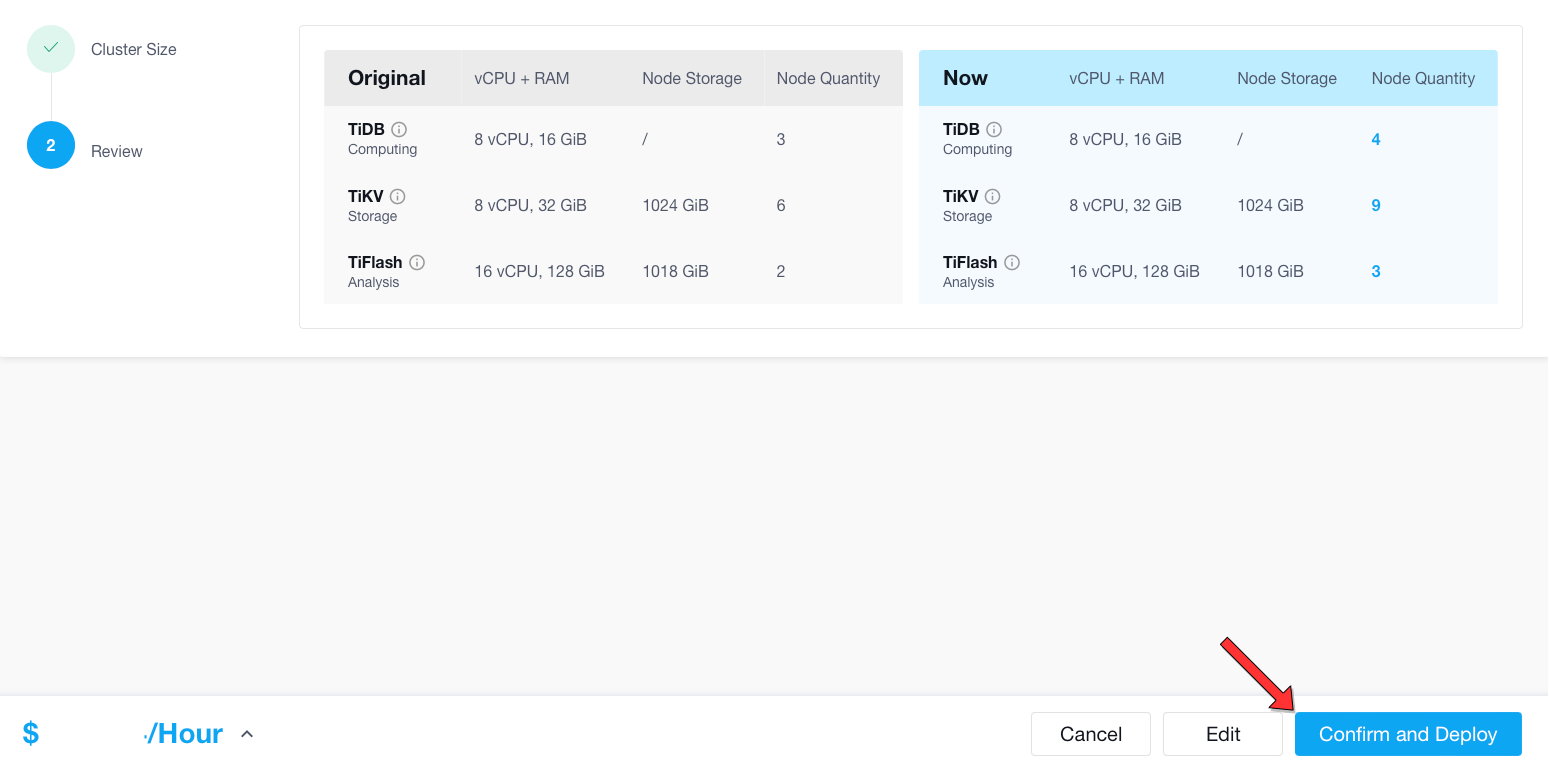
 3. 在下一页面,查看您的修改,然后点击 `Confirm and Deploy`。
 4. 等待 TiDB Cloud 集群扩容。

 (b) 缩容 TiDB Cloud 集群
1. 单击右上角的下拉菜单,然后选择 `Modify`。
2. 在 `Modify Cluster` 窗口中, 你可以减少 TiDB、TiKV 和 TiFlash 的节点数,然后点击 `Review`。(如果你想降低 TiKV 或 TiFlash 的 `Node Quantity`,你需要提交支持请求,执行 [TiDB Cloud 支持](https://docs.pingcap.com/tidbcloud/tidb-cloud-support) 中的步骤。
(b) 缩容 TiDB Cloud 集群
1. 单击右上角的下拉菜单,然后选择 `Modify`。
2. 在 `Modify Cluster` 窗口中, 你可以减少 TiDB、TiKV 和 TiFlash 的节点数,然后点击 `Review`。(如果你想降低 TiKV 或 TiFlash 的 `Node Quantity`,你需要提交支持请求,执行 [TiDB Cloud 支持](https://docs.pingcap.com/tidbcloud/tidb-cloud-support) 中的步骤。
 3. 在下一页上,查看您的修改,然后点击 `Confirm and Deploy`。
 4. 等待 TiDB Cloud 集群完成缩容。