TiDB Lightning Web Interface
============================
TiDB Lightning provides a web interface for local monitoring task control. The
app is written using [Material-UI] based on [React].
[Material-UI]: https://material-ui.com/
[React]: https://reactjs.org/
Building
--------
The web app requires `npm` to build. It can be compiled by running webpack in
*this* directory
```sh
# from `lightning/web/src/*` produces `lightning/web/dist/*`
cd web/
export NODE_OPTIONS="--openssl-legacy-provider"
npm install
npm run build
```
or, equivalently, running the make command in the *parent* directory.
```sh
# from `lightning/web/src/*` produces `lightning/web/dist/*`
make lightning_web
```
The output can be found in the `lightning/web/dist/` folder. Lightning embeds the entire
`lightning/web/dist/` folder into Go code via [vfsgen]. The web app compilation and Go
code conversion can be done via the make command
```sh
# from `web/dist/*` produces `lightning/web/res_vfsdata.go`
make data_parsers
```
For web development, you could build a special version of `tidb-lightning` which
reads directly from `lightning/web/dist/` by
```sh
make build_lightning_for_web
```
Run `bin/tidb-lightning --server-mode --status-addr 127.0.0.1:8289`, then open
`http://127.0.0.1:8289/` to use the web interface.
Local development tools like `webpack-dev-server` are not yet supported, since
we do not allow cross-origin requests yet.
[vfsgen]: https://github.com/shurcooL/vfsgen
Front-end
---------
The TiDB Lightning web interface is a single-page application (SPA). The file
`public/index.html` is the HTML template before rendering. The actual source
code are written in TypeScript in the `src/*` folder.
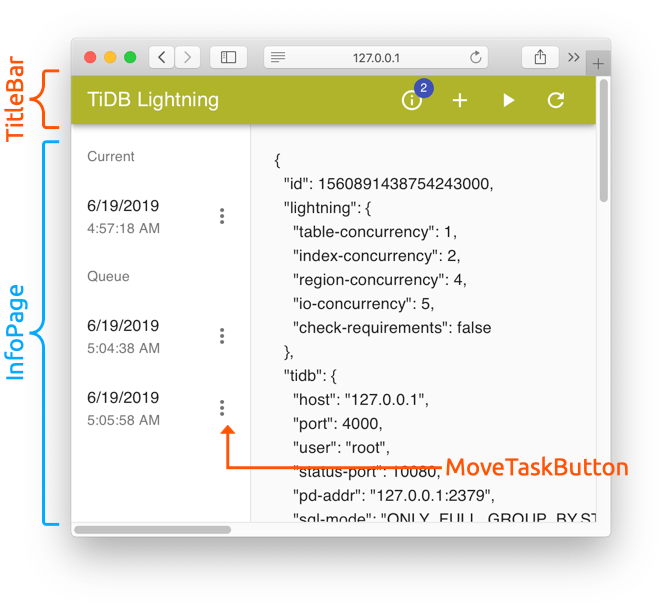
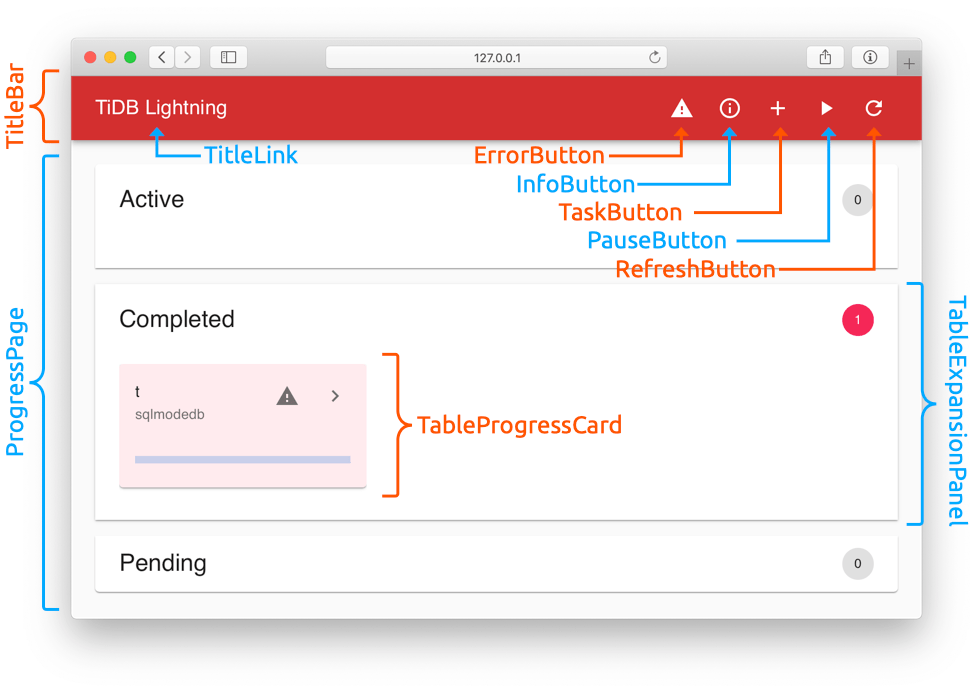
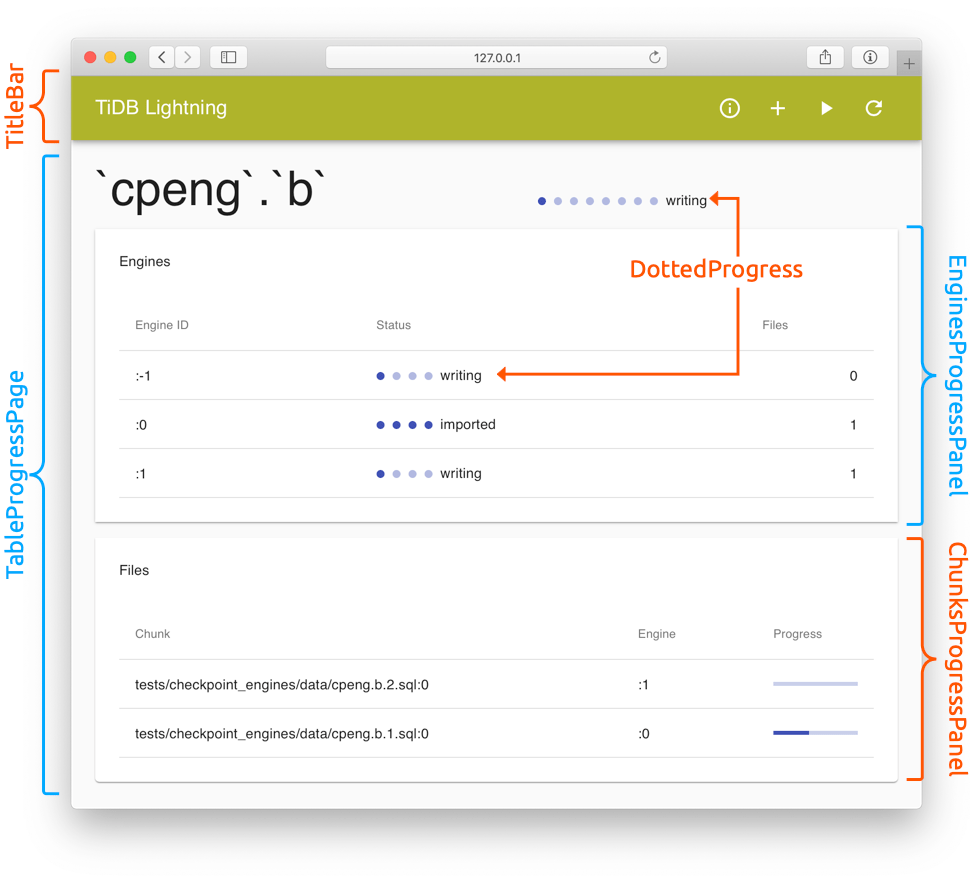
The application is divided into 3 "pages":
ProgressPage (reachable by clicking the "TiDB Lightning" link on the TitleBar)
TableProgressPage (reachable by clicking the ">" button on a TableProgressCard)
InfoPage (reachable by clicking the "ⓘ" InfoButton on the TitleBar)